    openjdk version "21.0.5" 2024-10-15
    OpenJDK Runtime Environment (build 21.0.5+11-Ubuntu-1ubuntu124.04)
    OpenJDK 64-Bit Server VM (build 21.0.5+11-Ubuntu-1ubuntu124.04, mixed mode, sharing)
■Tomcatインストール
    [Unit]
    Description=Apache Tomcat 11
    After=network.target

    [Service]
    Type=oneshot
    ExecStart=/usr/libexec/tomcat11/bin/startup.sh
    ExecStop=/usr/libexec/tomcat11/bin/shutdown.sh
    RemainAfterExit=yes
    User=tomcat
    Group=tomcat

    [Install]
    WantedBy=multi-user.target
・サービス登録
Created symlink /etc/systemd/system/multi-user.target.wants/tomcat11.service → /usr/lib/systemd/system/tomcat11.service.
・Tomcatユーザ権限付与
    <role rolename="admin-gui"/>
    <role rolename="manager-gui"/>
    <user username="tomcat" password="admin" roles="admin-gui,manager-gui"/>
-- localhost以外からアクセスする場合
    <Context antiResourceLocking="false" privileged="true" >
    <CookieProcessor className="org.apache.tomcat.util.http.Rfc6265CookieProcessor"
                    sameSiteCookies="strict" />
    <!--Valve className="org.apache.catalina.valves.RemoteAddrValve" ★無効化
            allow="127\.\d+\.\d+\.\d+|::1|0:0:0:0:0:0:0:1" /-->      ★  〃
    <Manager sessionAttributeValueClassNameFilter=
        "java\.lang\.(?:Boolean|Integer|Long|Number|String)|org\.apache\.catalina\
        .filters\.CsrfPreventionFilter\$LruCache(?:\$1)?|java\.util\.(?:Linked)?HashMap"/>
    </Context>
・Tomcat再起動
    Enter password:
    Reading table information for completion of table and column names
    You can turn off this feature to get a quicker startup with -A

    Welcome to the MySQL monitor.  Commands end with ; or \g.
    Your MySQL connection id is 57
    Server version: 8.0.40-0ubuntu0.24.04.1 (Ubuntu)

    Copyright (c) 2000, 2024, Oracle and/or its affiliates.

    Oracle is a registered trademark of Oracle Corporation and/or its
    affiliates. Other names may be trademarks of their respective
    owners.

    Type 'help;' or '\h' for help. Type '\c' to clear the current input statement.

    mysql> source tomcat_war_table.sql
    Query OK, 0 rows affected, 1 warning (0.03 sec)

    Query OK, 0 rows affected, 2 warnings (0.09 sec)

    Query OK, 0 rows affected, 1 warning (0.01 sec)

    Query OK, 0 rows affected (0.06 sec)

    Query OK, 1 row affected (0.02 sec)

    Query OK, 1 row affected (0.01 sec)

    Query OK, 0 rows affected, 1 warning (0.01 sec)

    Query OK, 0 rows affected (0.06 sec)

    Query OK, 1 row affected (0.02 sec)

    Query OK, 1 row affected (0.01 sec)

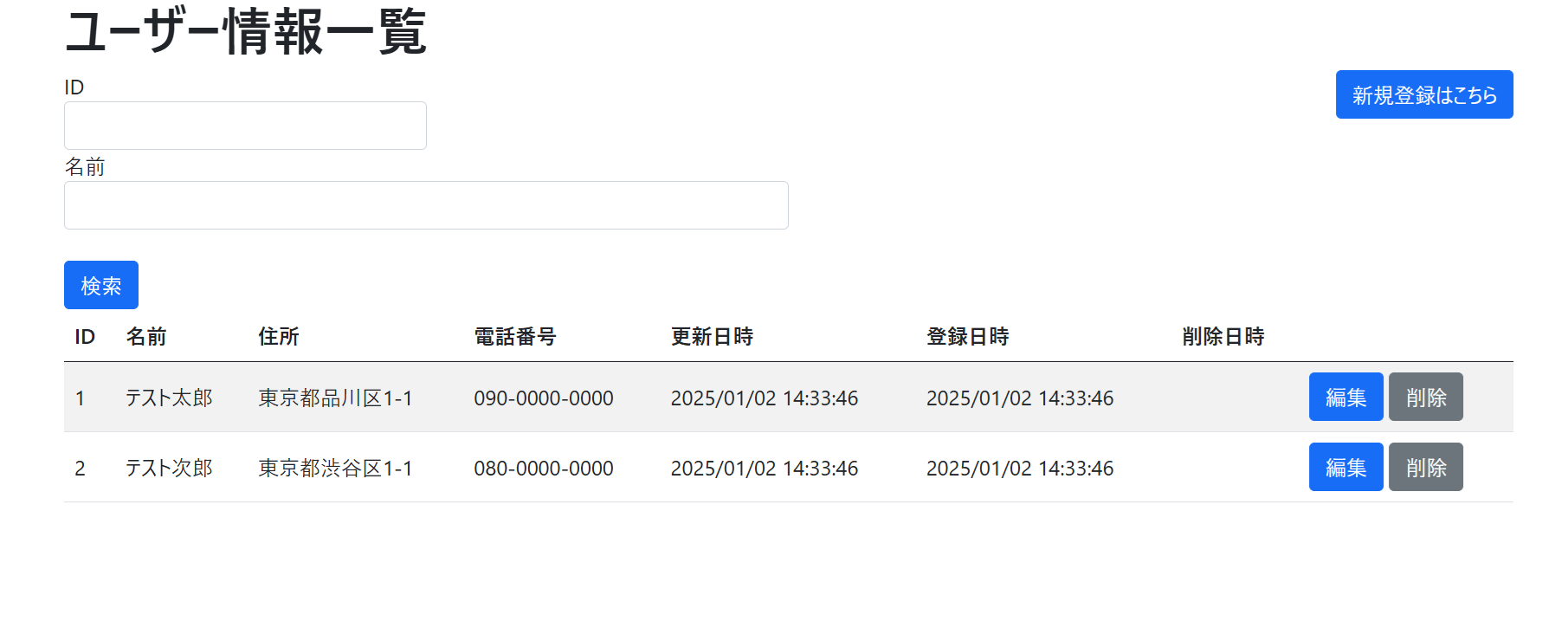
    mysql> select * from user;
    +----+-----------------+-----------------------+---------------+---------------------+---------------------+-------------+
    | id | name            | address               | phone         | update_date         | create_date         | delete_date |
    +----+-----------------+-----------------------+---------------+---------------------+---------------------+-------------+
    |  1 | テスト太郎       | 東京都品川区1-1        | 090-0000-0000 | 2025-01-02 14:33:46 | 2025-01-02 14:33:46 | NULL        |
    |  2 | テスト次郎       | 東京都渋谷区1-1        | 080-0000-0000 | 2025-01-02 14:33:46 | 2025-01-02 14:33:46 | NULL        |
    +----+-----------------+-----------------------+---------------+---------------------+---------------------+-------------+
    2 rows in set (0.00 sec)

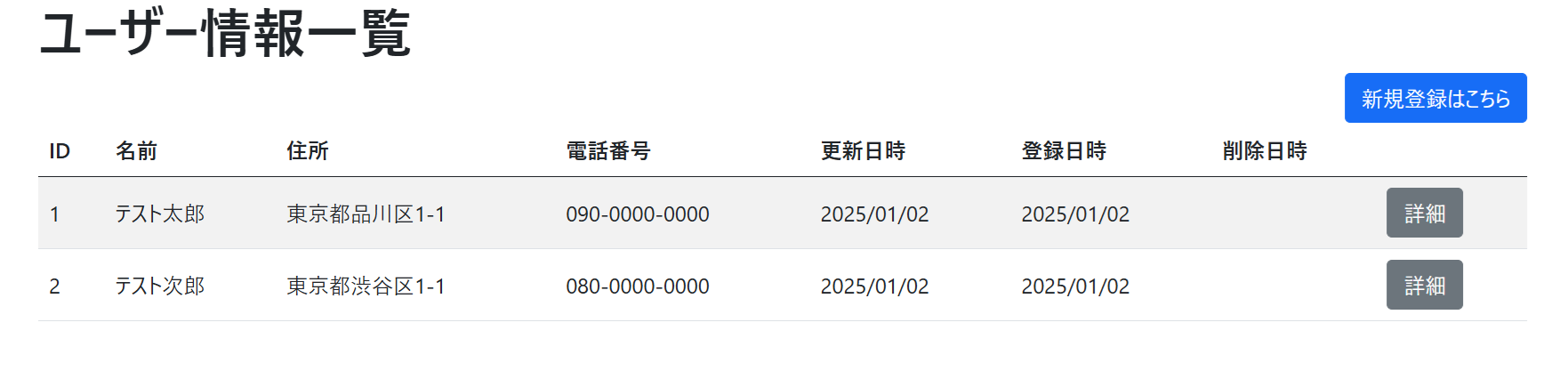
    mysql> select * from userinfo;
    +----+-----------------+-----------------------+---------------+---------------------+---------------------+-------------+
    | id | name            | address               | phone         | update_date         | create_date         | delete_date |
    +----+-----------------+-----------------------+---------------+---------------------+---------------------+-------------+
    |  1 | テスト太郎       | 東京都品川区1-1        | 090-0000-0000 | 2025-01-02 14:33:46 | 2025-01-02 14:33:46 | NULL        |
    |  2 | テスト次郎       | 東京都渋谷区1-1        | 080-0000-0000 | 2025-01-02 14:33:46 | 2025-01-02 14:33:46 | NULL        |
    +----+-----------------+-----------------------+---------------+---------------------+---------------------+-------------+
    2 rows in set (0.00 sec)

    mysql> quit
    Bye
■Apache2,Tomcat11連携
    Enabling module proxy.
    To activate the new configuration, you need to run:
    systemctl restart apache2

    kokaki@skynew:~$ sudo a2enmod proxy_ajp
    Considering dependency proxy for proxy_ajp:
    Module proxy already enabled
    Enabling module proxy_ajp.
    To activate the new configuration, you need to run:
    systemctl restart apache2
kokaki@skynew:~$ sudo vi /usr/libexec/tomcat11/conf/server.xml
    <Connector protocol="AJP/1.3"
                   address="0.0.0.0"
                      port="8009"
              redirectPort="8443"
            secretRequired="false" />
kokaki@skynew:~$ sudo vi /etc/apache2/sites-available/tomcat.conf
    ProxyPass /manager ajp://localhost:8009/manager
    ProxyPassReverse /manager ajp://localhost:8009/manager

    ProxyPass /springMyBatis ajp://localhost:8009/springMyBatis
    ProxyPassReverse /springMyBatis ajp://localhost:8009/springMyBatis

    ProxyPass /springJpa ajp://localhost:8009/springJpa
    ProxyPassReverse /springJpa ajp://localhost:8009/springJpa

    ProxyPass /memoapp ajp://localhost:8009/memoapp
    ProxyPassReverse /memoapp ajp://localhost:8009/memoapp
kokaki@skynew:~$ sudo a2ensite tomcat
2025 kokaki.jp, Office.